Your macOS 27 photography workflow is probably fine to upgrade after the first point release, but not on a deadline week. Lightroom and Photoshop stabilize fastest. Capture One and tethering rigs lag. Wait until your slowest critical plugin confirms support, then update a clone first.
It’s 1am in late October, the holiday family sessions start booking in about three weeks, and there’s a little red badge sitting on System Settings begging to be clicked. Golden Gate. New name, new wallpaper, new everything. The machine is quiet, the coffee’s gone cold, and the only thing standing between you and a fresh install is the memory of what happened the last time you did this during a busy stretch.
Every photographer I know has a version of that memory. Mine involves a tethered session where the capture software suddenly decided it had never met my camera before. Forty minutes of a client watching me restart things. Nobody died. But I aged.
So let’s do this properly. Not with hype, not with panic. Just a clear-eyed look at what updating actually risks for a working macOS 27 photography workflow right now.

What Breaks First in a macOS 27 Photography Workflow
Operating system updates rarely break the obvious things. Photoshop opens. Lightroom opens. The scary part of a macOS 27 photography workflow is never the headline app, it’s the fifteen small dependencies hanging off it.
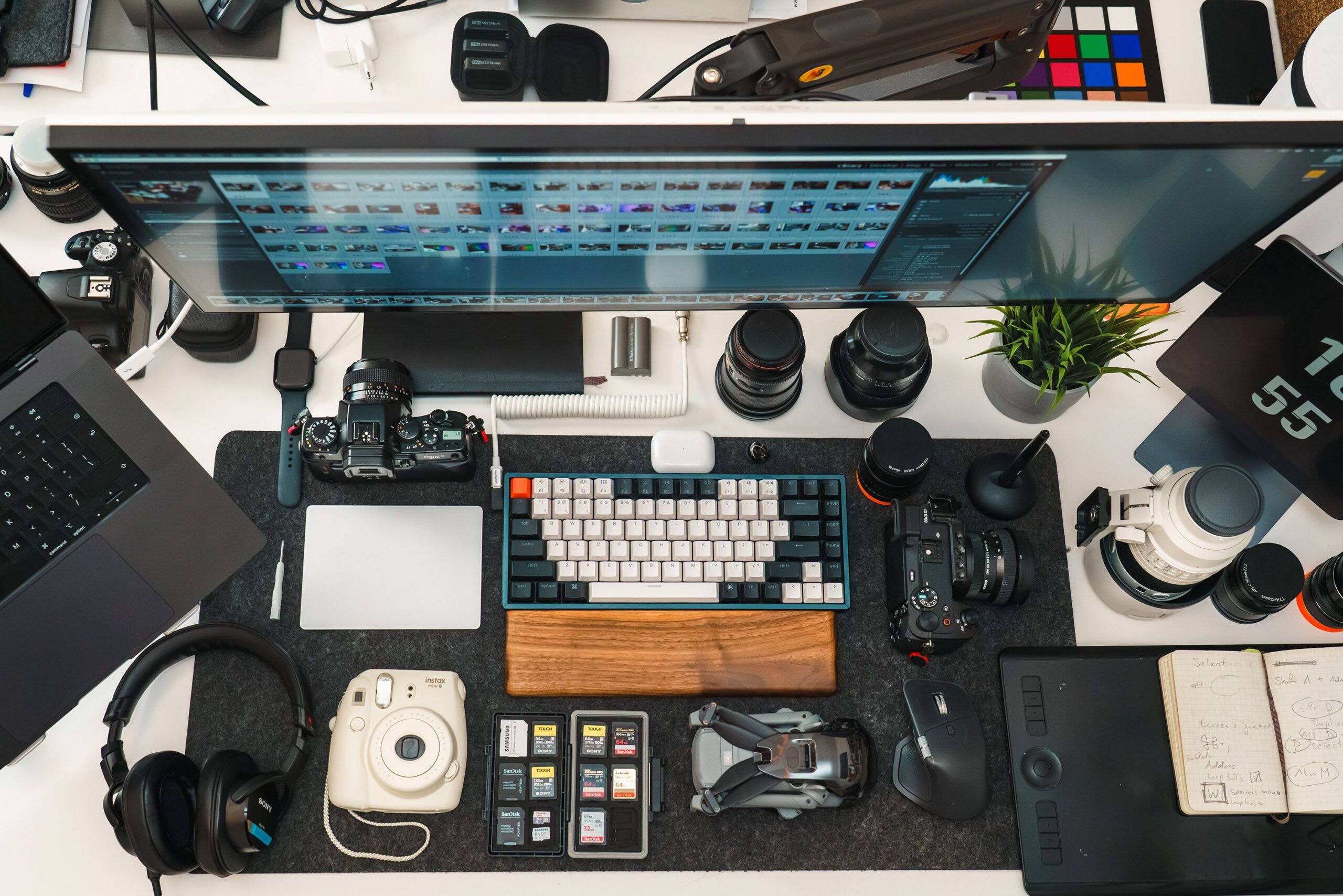
Think about what actually sits in the chain between the shutter firing and a delivered gallery. Card reader drivers. Tethering utilities. Color calibration software that talks to a hardware puck. Plugins that haven’t been recompiled since two OS releases ago. Cloud sync daemons. Font managers. Wacom or display tablet drivers. A font manager alone has ruined more deadlines than any sensor failure.
That’s the real surface area of a macOS 27 photography workflow, and it’s much wider than three app icons.
Video editors have been asking the same question in public. CineD ran through whether Golden Gate is safe for video editors after its first point update, and their framing is useful here: the OS itself usually settles quickly, while the ecosystem around it takes longer. Stills work has fewer moving parts than a Resolve timeline, but the same logic applies.
Lightroom and the macOS 27 Photography Workflow
Adobe’s apps are usually the first to be fine, and that’s not favoritism, it’s volume. Lightroom and Photoshop sit on so many machines that Adobe effectively gets a free global beta test every autumn. The bugs that survive are the weird ones.
For a Lightroom-centric macOS 27 photography workflow, the risk concentrates in three places. Catalog integrity, GPU acceleration behavior, and third-party plugins. Catalogs are the one you cannot gamble with. Back the catalog up before the update, then back it up again somewhere that isn’t the same physical drive.
GPU behavior is the sneakier one. Major OS releases frequently change how graphics frameworks hand off work, and photo editors lean hard on that. If the develop module starts showing odd artifacts or the brush lags behind the cursor, the first move is turning GPU acceleration off and seeing whether the problem evaporates. That one toggle has saved more weekends than any support ticket.
Plugins are where a macOS 27 photography workflow quietly falls apart. Noise reduction tools, HDR mergers, portrait retouching panels, export utilities. Each one is a separate company with its own release schedule and its own appetite for urgency.
Is Capture One Safe in a macOS 27 Photography Workflow?
Capture One occupies a trickier position. It’s a smaller user base than Adobe’s, which means fewer people hitting bugs early, and it’s deeply involved in tethering, which is the single most fragile part of any macOS 27 photography workflow.
Tethering is fragile because it sits on top of USB stacks, camera-specific SDKs, and power management. All three of those are exactly the kind of thing an OS release touches. A studio photographer who tethers for a living should treat tethering support as the gate for the entire decision. If tethering isn’t confirmed working with your specific body, the macOS 27 photography workflow question is already answered. Wait.
Session-based and catalog-based users face slightly different exposure. Session folders are simpler and more portable, which is a genuine advantage during an OS transition. Catalog users carry more structure, and more structure means more to verify after a migration.
Here’s the uncomfortable truth I’ve learned the hard way: I once updated an OS mid-week because a single feature looked appealing, and spent the following two days troubleshooting instead of editing. The feature was nice. The two days were not.
The Tethering and Peripheral Layer
Peripherals deserve their own section because they’re the least-discussed failure point in any macOS 27 photography workflow conversation.
- Card readers: Generic readers usually survive. Branded high-speed readers with custom drivers are the ones that go quiet.
- Calibration hardware: Display calibrators rely on vendor software that often needs a point release of its own. An uncalibrated monitor during print season is a real financial risk, not a cosmetic one.
- Tablets: Pressure sensitivity and button mapping frequently need a driver update after a major OS jump.
- External drives and RAIDs: Enclosure firmware and filesystem handling can change. Anything holding your only copy of anything should be treated as untouchable until verified.
- Legacy dongles and adapters: If it needed a workaround before, assume it needs a new one now.
A macOS 27 photography workflow is only as current as its least-maintained driver. That’s the whole game.
How Should Photographers Time the macOS 27 Photography Workflow Update?
Timing matters more than any single compatibility detail, because the cost of a broken macOS 27 photography workflow scales directly with how close you are to a delivery date.
Late October and November are genuinely bad weeks for this. Holiday family sessions are booking, fall portrait deliveries are landing, and clients who ordered prints expect them before the calendar runs out. January is the natural window. Bookings thin out, the OS has had multiple point releases, and every vendor has shipped their catch-up patch.
If you cannot wait until January, the rule is simple: update after a delivery, never before one. A clean slate on Monday morning after a gallery ships is a completely different risk profile from the same update on a Thursday night with a Saturday wedding on the books.
And if a specific new OS feature is what’s tempting you, be honest about whether it actually improves your macOS 27 photography workflow or just looks interesting. Most of them look interesting.
Building a Safe Migration Path
The safest macOS 27 photography workflow migration doesn’t involve bravery. It involves a second copy of everything.
A bootable clone of your current system, made before the update, turns an irreversible decision into a reversible one. That single step converts the entire question from “is it safe” to “how long would rolling back take.” Thirty minutes of cloning buys an enormous amount of calm.
Beyond that, an older machine or a secondary drive makes a fine test bed. Run a real job through it. Import a card, edit twenty frames, export, tether if you tether, print a proof if you print. A macOS 27 photography workflow that survives one complete simulated job is far more trustworthy than one that merely launches without crashing.
I skipped the clone step exactly once, assuming the update was minor. It was not minor. I learned the phrase “internet recovery” that night.
The Compatibility Picture at a Glance
| Layer | Typical Risk Level | What to Verify First |
|---|---|---|
| Photoshop | Low | GPU acceleration, plugin panels |
| Lightroom | Low to moderate | Catalog backup, third-party plugins |
| Capture One | Moderate | Tethering with your specific body |
| Calibration hardware | Moderate to high | Vendor driver release notes |
| Card readers and tablets | Variable | Driver updates, button mapping |
This table describes categories of exposure, not guarantees. Your specific macOS 27 photography workflow depends on your specific plugin list, and nobody else’s list is yours.
The Contrarian Case for Waiting Longer Than You Think
Here’s the position most tech coverage won’t take: for a working photographer, there is almost no upside to being early.
Video editors sometimes have a real argument for updating fast, because codec support and hardware acceleration can genuinely change what’s possible. Stills work rarely has that. A macOS 27 photography workflow does not get meaningfully faster at demosaicing because the OS got a new control center layout.
Your raw files will still be raw files. Your clients will still want them next Tuesday. The marginal gain from updating in October versus February is close to zero, and the marginal risk is not. That asymmetry should drive the decision.
That said, indefinite delay is its own trap. Security patches matter, and falling two full releases behind eventually means app versions stop supporting you. The goal is deliberate lateness, not permanent avoidance of the macOS 27 photography workflow question.
What to Take From This
- Clone before you update. A bootable backup makes the whole macOS 27 photography workflow decision reversible.
- Let your slowest dependency set the schedule. Tethering and calibration software, not Photoshop, decide when you’re ready.
- Update after deliveries, never before them. Risk is cheapest on an empty calendar.
- Run a full simulated job post-update. Import, edit, export, tether, proof. Launching is not the same as working.
- Back up catalogs twice, to two devices. Catalog corruption is the one failure with no quick fix.
- January beats November. Point releases and vendor patches do most of the work for you.
Final Verdict
Golden Gate isn’t a disaster and it isn’t a gift. It’s a normal major OS release, which means it will be fine for most people and quietly miserable for a few. The deciding factor isn’t the OS at all. It’s whether your particular stack of plugins, drivers, and tethering tools has caught up yet.
Check your dependencies, clone your drive, and give yourself a week where a broken macOS 27 photography workflow would be annoying rather than catastrophic. Do that, and the update becomes a Tuesday chore instead of a crisis. Skip it, and you’re gambling with somebody else’s wedding photos.
FAQ
Should I update to macOS 27 during busy season?
No. Late autumn carries holiday portrait and print deadlines. Updating a macOS 27 photography workflow is safest on an empty calendar, ideally after a delivery rather than before one.
What breaks most often after a major macOS update?
Peripherals and plugins, not flagship apps. Tethering utilities, display calibration software, card reader drivers, and third-party editing panels are the usual casualties in a macOS 27 photography workflow.
How do I roll back if something breaks?
Restore from a bootable clone made before updating. Without that clone, rollback means a full reinstall of the previous system and a restore from backup, which costs hours.
Is Capture One riskier than Lightroom on a new macOS?
Generally yes, mostly because of tethering. Tethering depends on USB stacks and camera SDKs that major OS releases frequently disturb, making it the weakest link for studio shooters.
Photo: Jakub Zerdzicki